Our app includes a block that validates email addresses and phone numbers entered in the contact field of the Checkout page. This can only be used by merchants on the Shopify Plus plan and helps ensure your checkout captures contactable email addresses and phone numbers.
Credit usage
Further detail on costs can be found in the documentation for our Experian Email Validation and Phone Validation APIs, noting in particular that the optional premium phone validation services each cost an additional 1 credit per request if results are returned.
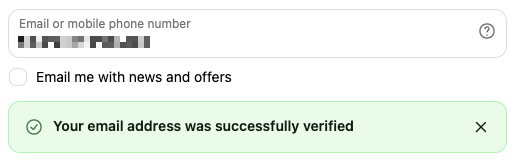
As soon as the user leaves the contact field on the Checkout page, the block will validate the email address or phone number they entered. If validation is successful, an optional confirmation message can be displayed, depending on your configuration. Here's an example for an email address:
If the email appears risky or unreachable, a message can be displayed indicating the email is likely invalid.
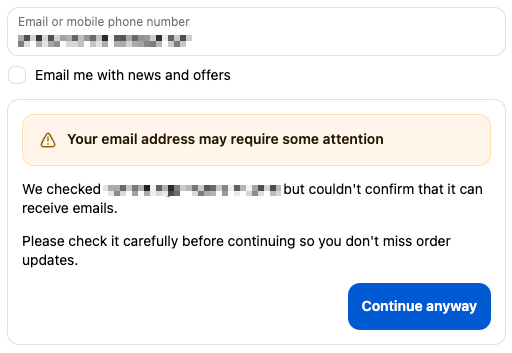
This is based on one of the following confidence levels being returned by the Experian Email Validation API:
If the email address could not be conclusively verified, a message can be displayed indicating this. This does not necessarily mean the address is invalid — it may be temporarily unavailable for verification or belong to a domain that does not allow mailbox validation.
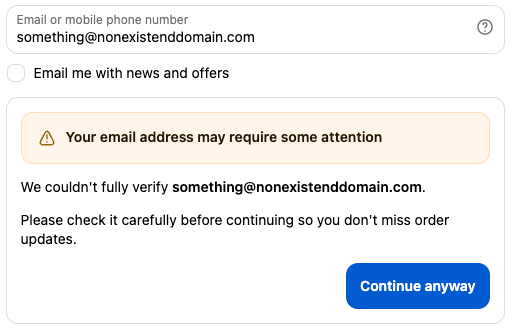
This is based on one of the following confidence levels being returned by the Experian Email Validation API:
Sometimes an email address is likely to be invalid or cannot be verified but the API may identify an alternative address that is more likely to be correct than the one supplied. When an alternative is suggested, this is included in the warning message:
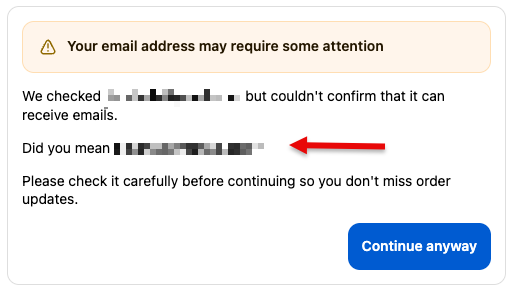
If the phone number appears to be incorrect or unable to receive calls or text messages, a message can be displayed indicating this. This may be because the number is no longer active, has an invalid format, or is assigned to a service that cannot receive voice or SMS communications.
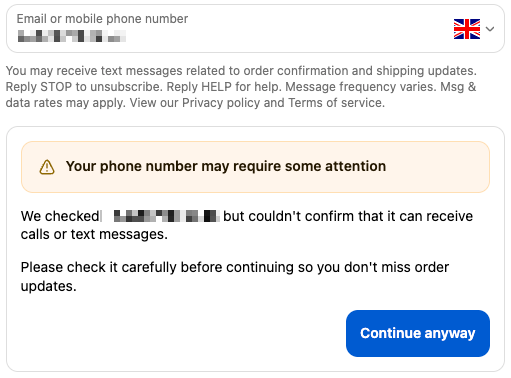
This is based on one of the following confidence levels being returned by the Experian Phone Validation API:
If the phone number could not be conclusively verified a message can be displayed indicating this. This does not necessarily mean the number is invalid — it may simply be temporarily unavailable or the live status could not be determined.
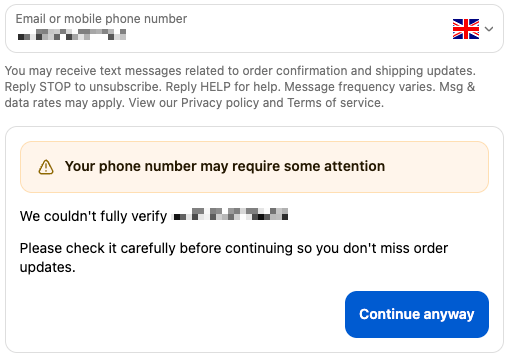
This is based on one of the following confidence levels being returned by the Experian Phone Validation API:
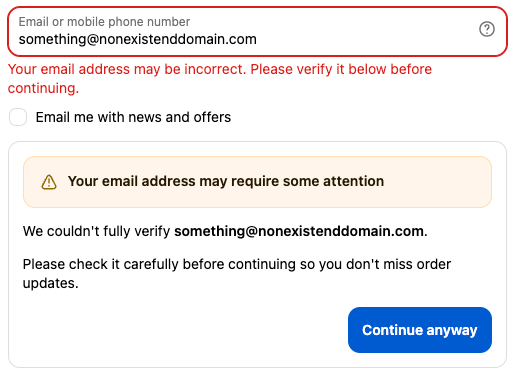
For results marked as "Likely invalid" or "Unable to verify", you can choose how the block responds. It can be configured to ignore them or show a warning message. Additionally, you have the option to block the checkout if the user doesn't acknowledge the warning and click the Continue anyway button.
With the warn option, the user can ignore the message and continue with checkout. But if the block option is chosen, the user must take action. A validation error is displayed beneath the Contact field and won't be cleared until the user clicks the Continue anyway button. Here's an example for an email address that could not be verified:
If an API error occurs during the validation process, the block fails silently and does not prevent the user from checking out. An error will be logged to the browser console depending on the level configured in the app settings.
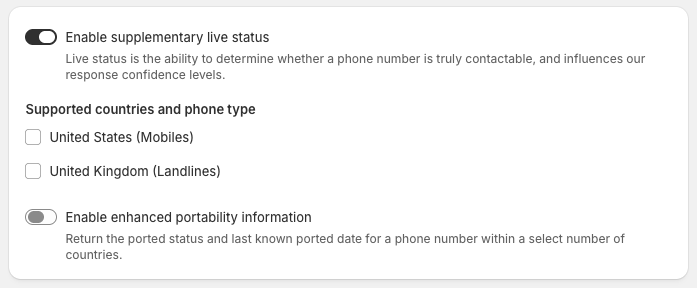
Supplementary live status and enhanced portability information are optional premium services that each cost an additional 1 credit per request if results are returned.
Further information on these options can be found in the documentation for our Experian Phone Validation API.
They can be enabled on the app's Settings page, with the supplementary live status having options of mobile numbers in the United States and/or landline numbers in the United Kingdom.